PFL MENA 12 - Khobar PFL MENA 12 - Khobar · Content
Step 1 of 8

About you

Please fill in all required fields.

Your passport details

As they are printed in your passport.

Your document

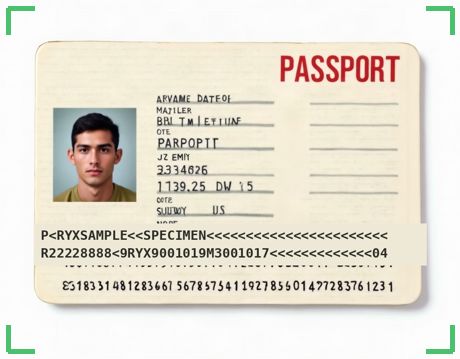
We read the code lines at the bottom for you — check what we fill in.

A passport is required for this registration.

The whole page, flat and sharp — including the two code lines at the bottom.  
📎
Click to upload or drag & drop
JPEG — up to 10 MB each, 24 MB in total
Your copy must be readable — an unreadable passport page is refused.

Check what we read

Compare these details with your document and correct anything we got wrong.

Your document will show here once you have added it.

Your photo

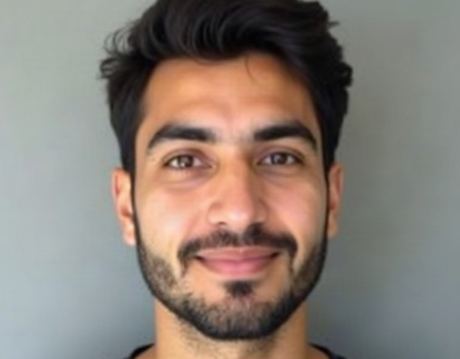
A plain background, facing the camera. This is what prints on your badge.

Face the camera, plain background. A head covering is fine — we only need your face clearly visible.  
📷
Tap to take your photo
guided shot — or use Choose File for one you already have
Files: up to 10 MB each, 24 MB in total

Visa

Uniform

A few more details

A few choices that help the organiser plan for you.

Last check

Check your answers against your document, then send them.

Rules of accreditation Your badge is personal; photography, alcohol and confidentiality rules apply on site. Read the rules

Your accreditation is personal and cannot be lent, swapped or copied. Wear it visibly at all times on site and show it when asked. It gives access only to the zones and times printed on it. Misuse — including passing it to someone else or altering it — leads to immediate withdrawal and may be reported to the organiser and the authorities. Lost or stolen badges must be reported at once; a replacement may be charged.

Photography and filming are allowed only where your accreditation permits it; no photography in restricted areas, back of house or of other people without their consent, and no publishing of material the organiser has marked confidential.

Alcohol and other intoxicants are not permitted while working, and anyone under their influence will be refused access.

Everything you see or learn in non-public areas — plans, schedules, talent movements, security arrangements, commercial information — is confidential and must not be shared or posted.

The organiser may withdraw accreditation at any time.

Your details are used only to accredit you for PFL MENA 12 - Khobar, are kept by PFL MENA and Rynox for the event's records, and are never sold. Read the privacy notice.

Privacy notice

Who. PFL MENA organises PFL MENA 12 - Khobar and decides how your details are used. Rynox runs this registration system for them and keeps the records on their behalf.

What and why. The details and documents this page asks for, used only to accredit you for PFL MENA 12 - Khobar: checking who you are, issuing your badge, admitting you on site and — where the organiser needs it — travel and visa arrangements. They are never sold and never used for marketing.

Who sees them. PFL MENA's own staff and the people they appoint for this event (accreditation, travel, health & safety, and your organisation's coordinator).

Processors. Your passport or ID card image is read by Google Cloud Vision (and, for ID cards without code lines, by Google Gemini), and your photo is checked by Google Gemini, acting for the organiser; images are not used to train their models and are deleted from our servers when your registration is removed.

How long. For the event's records, for as long as PFL MENA keeps the event. Ask PFL MENA to see, correct or delete your details.

Cookies. Rynox sets one cookie only: the session cookie that keeps this form or your sign-in working. There are no analytics or advertising cookies, so there is no cookie banner — a banner is not required for a cookie that is strictly necessary.

Powered by Rynox
🛂

Passport Scanner

▬ KEEP THESE TWO LINES IN FRAME ▬
Starting camera…
Starting camera…
Hold your passport up to the camera so all text is visible.
Keep it flat & steady — it captures automatically when still.
Initialising OCR engine…
captured
✅
Passport data extracted
Review and correct if needed, then tap Use.
Last Name
First Name
Passport No.
Nationality
Date of Birth
Expiry Date
⚠️
Could not read passport data.
Make sure the full passport page is visible, well-lit, and in focus.

📷 Camera
Captured photo